Summarise Visually can turn a compatible public article link or pasted article text into a chosen summary format on iPhone. Use the URL route when the page can be retrieved cleanly, use text you are entitled to process when extraction is incomplete, and check every important detail against the original webpage.
Premium access: In the reviewed current build, initial summarization and mode changes require Premium.
What this workflow does
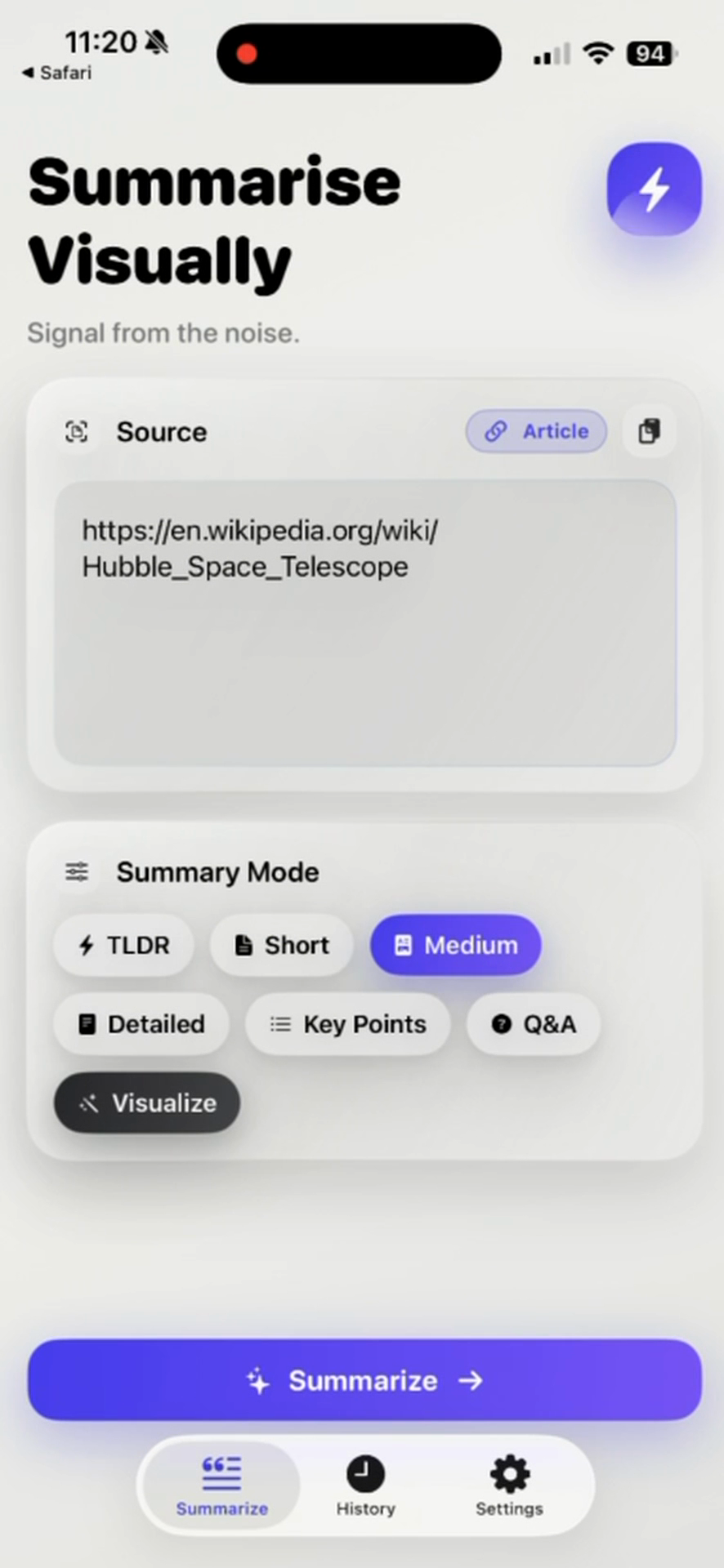
The article workflow separates two practical inputs. A compatible public URL lets the app retrieve article text through its article route. Pasted text gives the reader control over the excerpt when a webpage is blocked, cluttered, or only partly extracted. Both inputs lead to the same six mode choices.
This is a reading workflow, not a webpage reader that guarantees access across the open web. A page can look readable in Safari while still denying automated retrieval, loading its article with scripts, or mixing the main text with unrelated elements.
How to use it on iPhone
- Copy the public article URL and paste it into the source field.
- Confirm that the interface recognizes the source as an article before submitting it.
- Choose TLDR or Short for orientation, Medium or Detailed for context, or Key Points and Q&A for review.
- Open the original source from the result screen and compare names, dates, quotations, and claims.
- When retrieval is incomplete, paste only text you have the right to process and retain the original page for context.
The reviewed evidence proves the URL and plain-text routes. It does not justify a promise that every site, paywall, browser state, or sharing action will work.
Example
This workflow example uses an imagined article from this site’s editorial notes and is not a captured app result. Suppose the article explains three checks for evaluating a generated summary: identify the source, compare factual claims, and record the review date. A reader could paste that original text in Short mode, then verify that the three checks remain distinct.
The available screenshots separately document a Hubble article URL and result in the real interface. They are not presented as a controlled evaluation, and this page does not reproduce or extend their generated wording.
What works well
- Start with the URL route for a public, conventional article page.
- Choose pasted text when you need to define the exact passage and have permission to process it.
- Use Medium or Detailed when the order of an argument matters.
- Keep Source available during review so a polished summary does not become detached from its webpage.
Limitations
Article extraction can fail or return partial material when a site requires a login, uses a paywall, blocks requests, assembles content with scripts, or places important meaning in interactive graphics. Pasting text can solve an extraction problem, but it cannot restore visuals, surrounding context, or material that was not selected.
A summary may also repeat an error from the page or introduce a new one. Verify consequential information with the article and, where appropriate, its primary evidence.
Article summarizer questions
Should I use a link or paste the text?
Try a compatible public link first. Paste a lawful excerpt when retrieval is incomplete or when you need precise control over the processed passage.
Can the app read every webpage?
No such claim is made. Site access rules, scripts, authentication, paywalls, and page structure can affect extraction.
Which mode preserves more context?
Medium and Detailed are designed for more context than TLDR or Short, but the original article is still the complete reference.
How do I check an article summary?
Compare the result with the webpage’s headline, author, date, main claims, supporting evidence, qualifications, and conclusion.
Related ways to learn
- Compare all supported source routes in the AI summarizer workflow.
- Use the YouTube workflow when the source is a supported captioned video.
- See how a checked text result can become a visual summary.
- When the entry route fits the page, continue to the download handoff.